LMTR icon
GPL-3.0 JACK / PipeWire Qt 6 C++17

Linux Multitrack Recorder

16 tracks. JACK audio. LADSPA/LV2 Effects. Punch in/out. Export the master mix or single stems.

What is LMTR?

LMTR (Linux Multitrack Recorder, also a nod to Limiter) is a minimalist studio recorder for musicians who want to capture, mix, and export music without the complexity of a full DAW.

LMTR is not a DAW. It does not arrange clips, edit audio, or handle MIDI. What it does, it does well: capture a performance, shape the sound with effects, and export a mix or individual stems. It provides all the tools you need to produce a track from start to finish, mastering included.

Screenshots

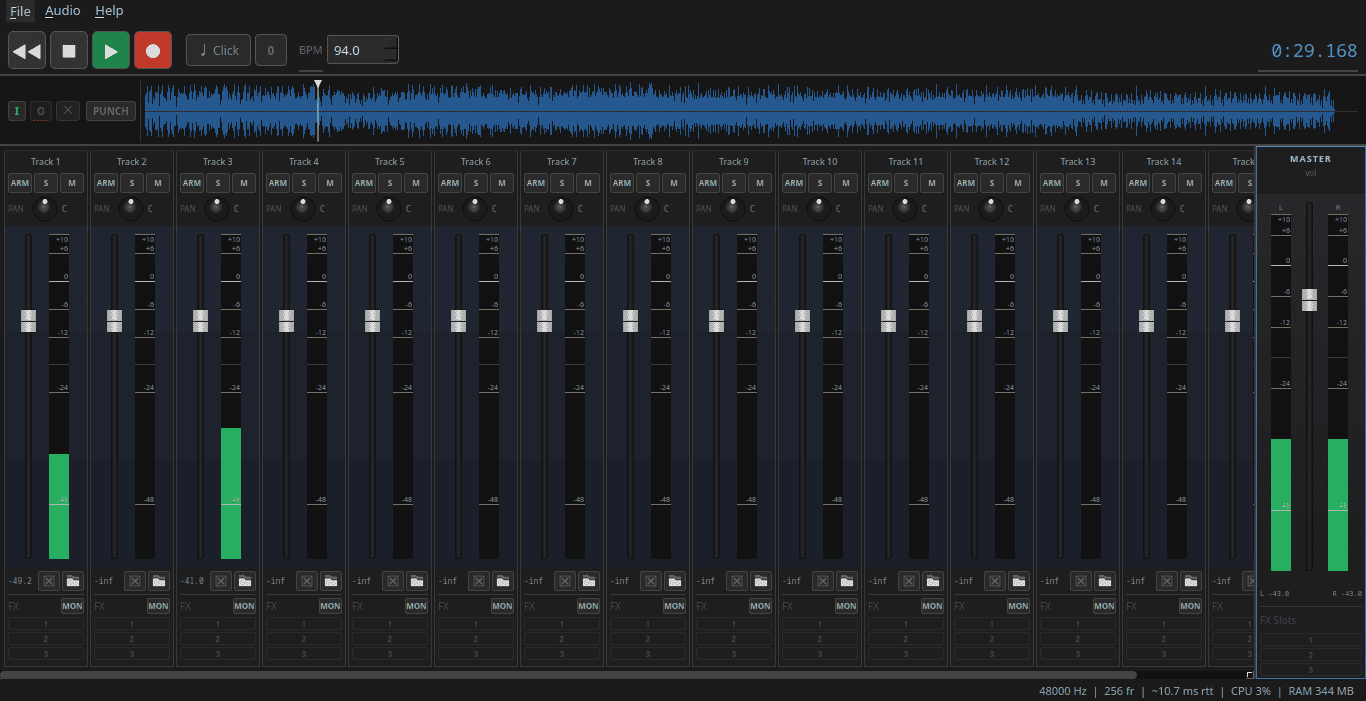
LMTR main window
Main window
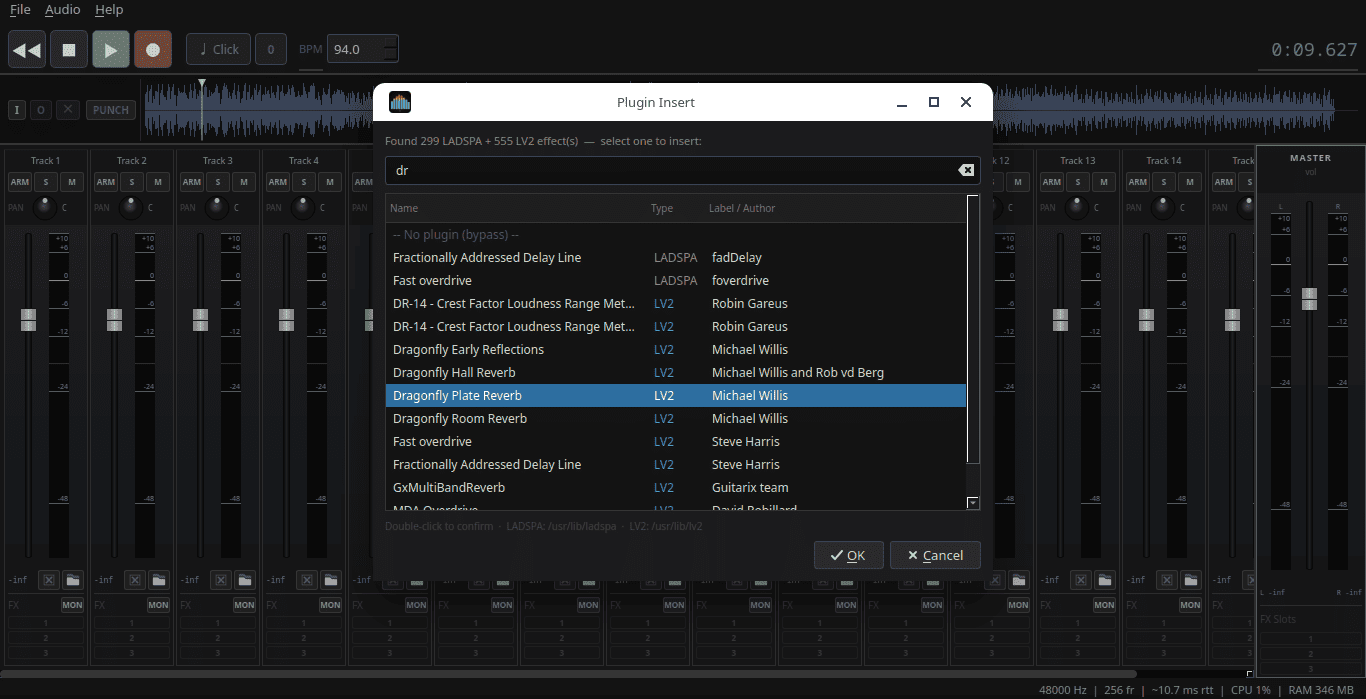
LADSPA plugin browser
LADSPA/LV2 plugin browser
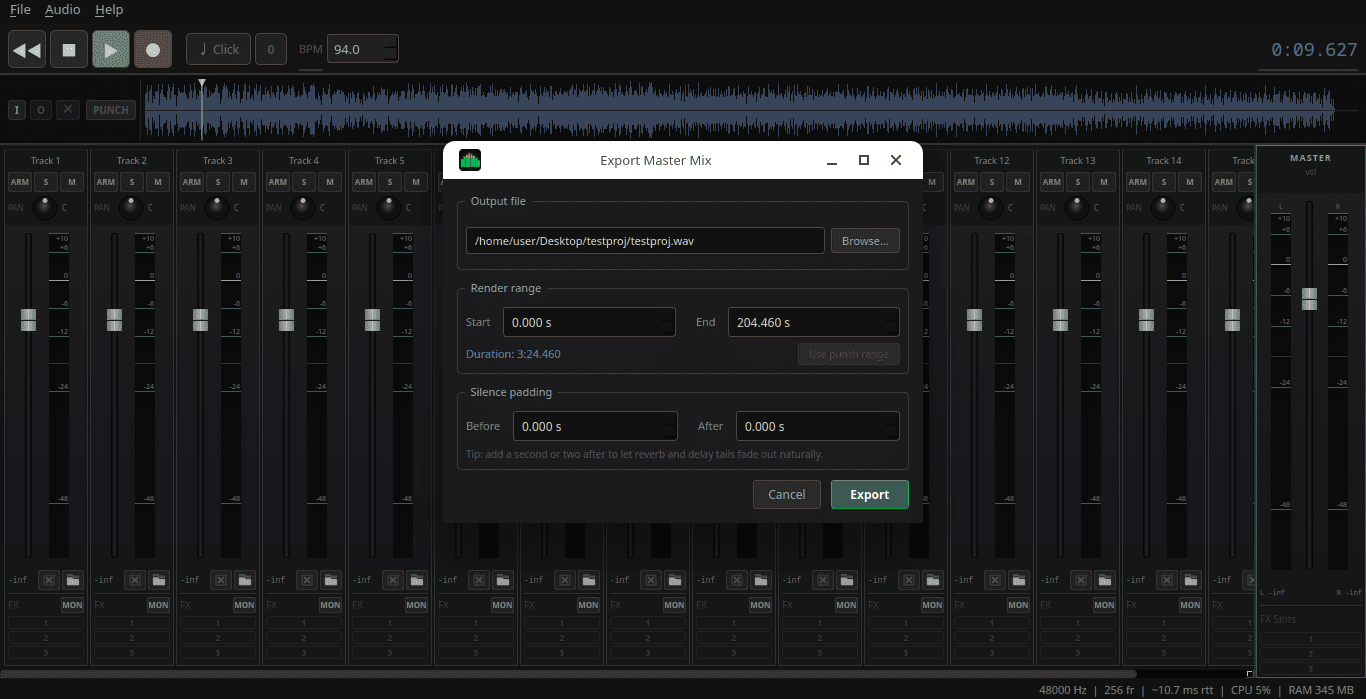
Export master mix
Export master mix
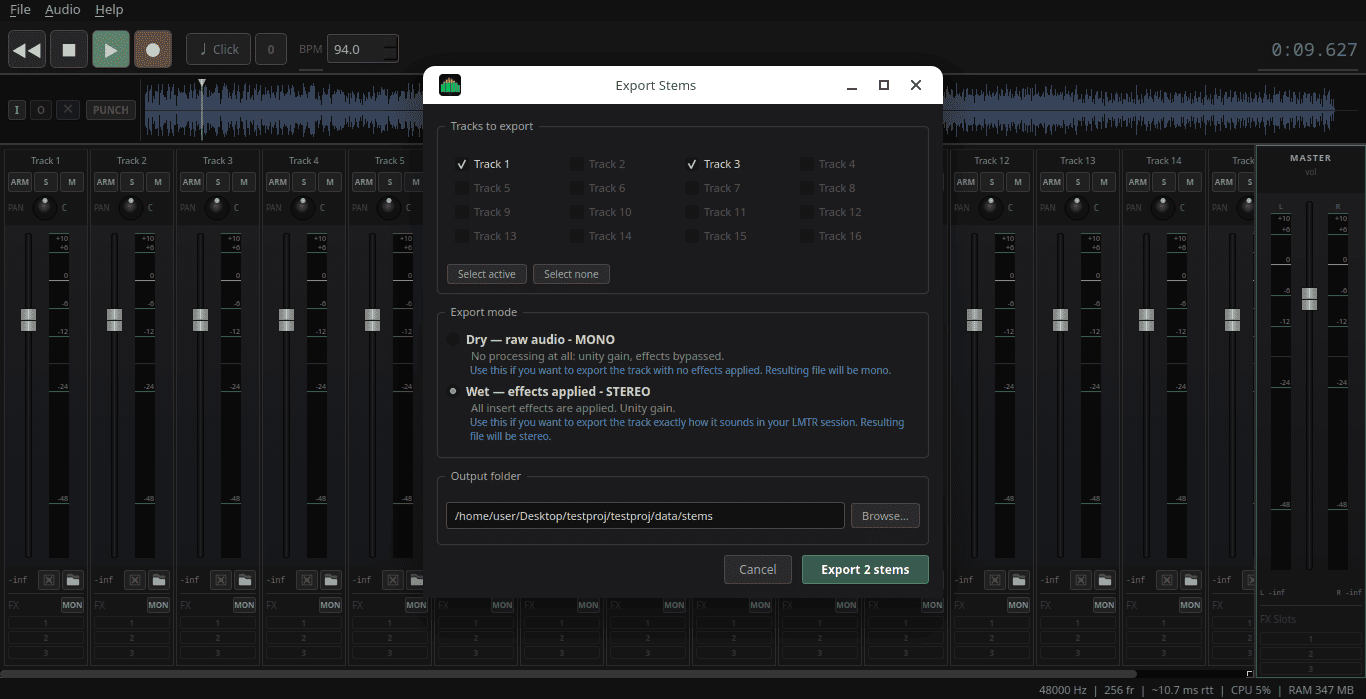
Export stems
Stems export
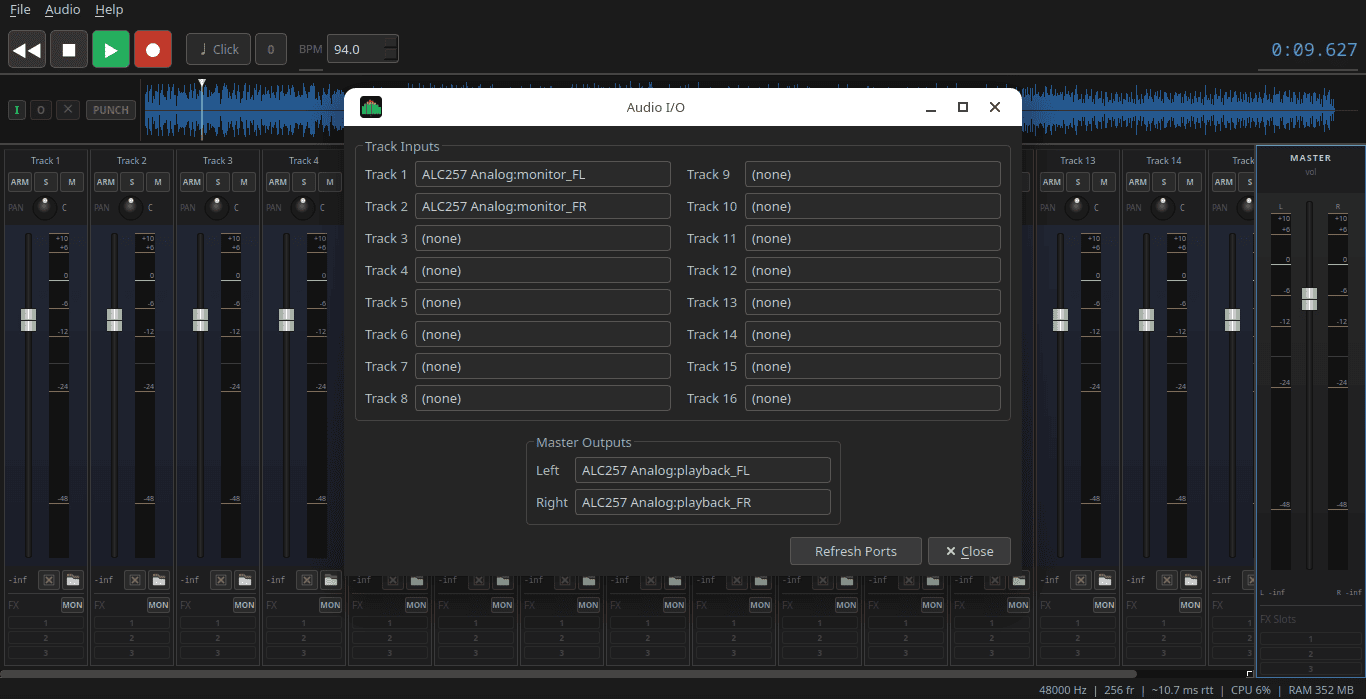
Audio I/O settings
Audio I/O settings

Features

16 mono tracks

Arm any combination of tracks and record simultaneously from JACK inputs.

Punch-in / out

Set I/O markers and fix a region without re-recording the whole take.

Timeline-locked click

Metronome stays in phase after seeking. Count-in support (1/2/4 beats).

LADSPA/LV2 inserts

3 serial slots per track + 3 stereo slots on the master bus. Applied during recording, playback, and export. Plugin state (loaded effects + all parameters) saved and restored with the project file.

💾
Stem export

Dry (raw) or wet (FX applied) — all stems time-aligned and ready to import into any DAW.

🔊
Software monitoring

Hear yourself through the FX chain in real time. Latency = one JACK buffer period.

👁
Peak meters

dBFS level meters on every track and on the stereo master bus.

📋
Autosave

Saves every 30 seconds and on exit. Session restored silently on next launch. Note: plugin FX state requires an explicit save (Ctrl+S).

🔍
Fast plugin browser

LADSPA/LV2 plugins are scanned in a background thread at startup.

📂
Audio import

Load WAV, FLAC, AIFF, OGG and MP3 files onto any track. Files can be copied to the project folder or referenced.

Download & Getting Started

The easiest way to run LMTR is the AppImage — a single portable binary that runs on any modern Linux distribution without installation.

⇓ Download AppImage
bash
# 1. Download the AppImage from the releases page, then:
$ chmod +x LMTR-*.AppImage
$ ./LMTR-*.AppImage

Requirement: JACK or PipeWire-JACK must be running before launching LMTR. Most Linux distributions already have JACK installed or wrapped by PipeWire — in that case no further configuration is required. If LMTR shows an error on startup, you have a few options to start JACK:

Start JACK with qjackctl

Install qjackctl (or Cadence on KDE/Ubuntu Studio), start the JACK server, then launch LMTR. That's it.

Or start JACK manually

bash
# 48 kHz, 256-frame buffer (~5 ms latency)
$ jackd -d alsa -d hw:0 -r 48000 -p 256 &
$ ./LMTR-*.AppImage

PipeWire users

Most modern Ubuntu, Fedora, and Arch installs ship PipeWire. Install pipewire-jack — PipeWire exposes a JACK-compatible API and LMTR works with it without any changes.

Connect your audio interface

Go to Audio → I/O Settings (Ctrl+I) to connect your interface inputs to LMTR's tracks and its master output to your speakers or headphones. I/O settings are saved and recalled in the project. You can also use any JACK patchbay (like Patchance or similar) to connect the 16 inputs and 2 outputs that LMTR exposes to anything you want, or even the command line:

bash
$ jack_connect system:capture_1 LMTR:in_1
$ jack_connect LMTR:out_L system:playback_1
$ jack_connect LMTR:out_R system:playback_2

Quick start workflow
LMTR quick reference
1. New project ............ Ctrl+N  (save first — recording needs a location)
2. Arm a track ............ click ARM or press 1–8
3. Monitor yourself ....... enable MON on the track
4. Set tempo / click ...... adjust BPM, press C
5. Record ................. R  →  R or S to stop
6. Play back .............. Space
7. Export mix ............. Ctrl+E
8. Export stems ........... Ctrl+Shift+E

Keyboard Shortcuts

Transport

Space Play / Stop
R Record / Stop recording
S Stop
W Rewind to 0
Seek ±10 s
C Toggle click track
18 Toggle ARM on tracks 1–8
Alt+1Alt+8 Toggle ARM on tracks 9–16

Punch

I Set punch-in point
O Set punch-out point
P Toggle Punch mode
U Clear both markers

File

Ctrl+N New project
Ctrl+O Open project
Ctrl+S Save
Ctrl+Shift+S Save As

Export & Audio

Ctrl+E Export master mix
Ctrl+Shift+E Export stems
Ctrl+I Audio I/O settings

Build from Source

Dependencies

Library Ubuntu / Debian Fedora / RHEL
Qt 6 qt6-base-dev qt6-qtbase-devel
JACK libjack-dev jack-audio-connection-kit-devel
libsndfile libsndfile1-dev libsndfile-devel
LADSPA SDK ladspa-sdk ladspa-devel
LV2 headers lv2-dev lv2-devel
lilv liblilv-dev lilv-devel
suil libsuil-dev suil-devel
CMake ≥ 3.20 cmake cmake
pkg-config pkg-config pkgconf
C++17 compiler build-essential gcc-c++
bash — install deps
# Ubuntu / Debian
$ sudo apt-get install -y qt6-base-dev libjack-dev libsndfile1-dev \
      ladspa-sdk lv2-dev liblilv-dev libsuil-dev cmake pkg-config build-essential

# Fedora / RHEL
$ sudo dnf install -y qt6-qtbase-devel jack-audio-connection-kit-devel \
      libsndfile-devel ladspa-devel lv2-devel lilv-devel suil-devel cmake pkgconf gcc-c++

Build

bash
$ cmake -B build -DCMAKE_BUILD_TYPE=Release
$ cmake --build build -j$(nproc)
$ ./build/LMTR

Build an AppImage

bash
$ ./packaging/build-appimage.sh
# Downloads linuxdeploy on first run (cached in packaging/tools/),
# builds a release binary, and produces LMTR-*.AppImage in the project root.

License

LMTR is free software released under the GNU General Public License v3.0. You are free to use, study, modify, and distribute it under the terms of that license.